Adapted for a homeowner running one project, once — not a career's worth of jobs.
One page with your entire project's status — updated weekly, not reconstructed from memory the night before a site meeting. It's the page you open first every time you sit down to work on your project: what stage you're at, what's outstanding, what needs a decision, and what's coming up next.
The Command Centre is where you set up the systems you'll use for the rest of the project — before your builder relationship even starts. It's the difference between reacting to whatever comes up and running the project on your terms.
This is the part of Build Companion most homeowners say they couldn't have built themselves. It's not one spreadsheet — it's five connected tools that together give you real budget protection across the life of your project.
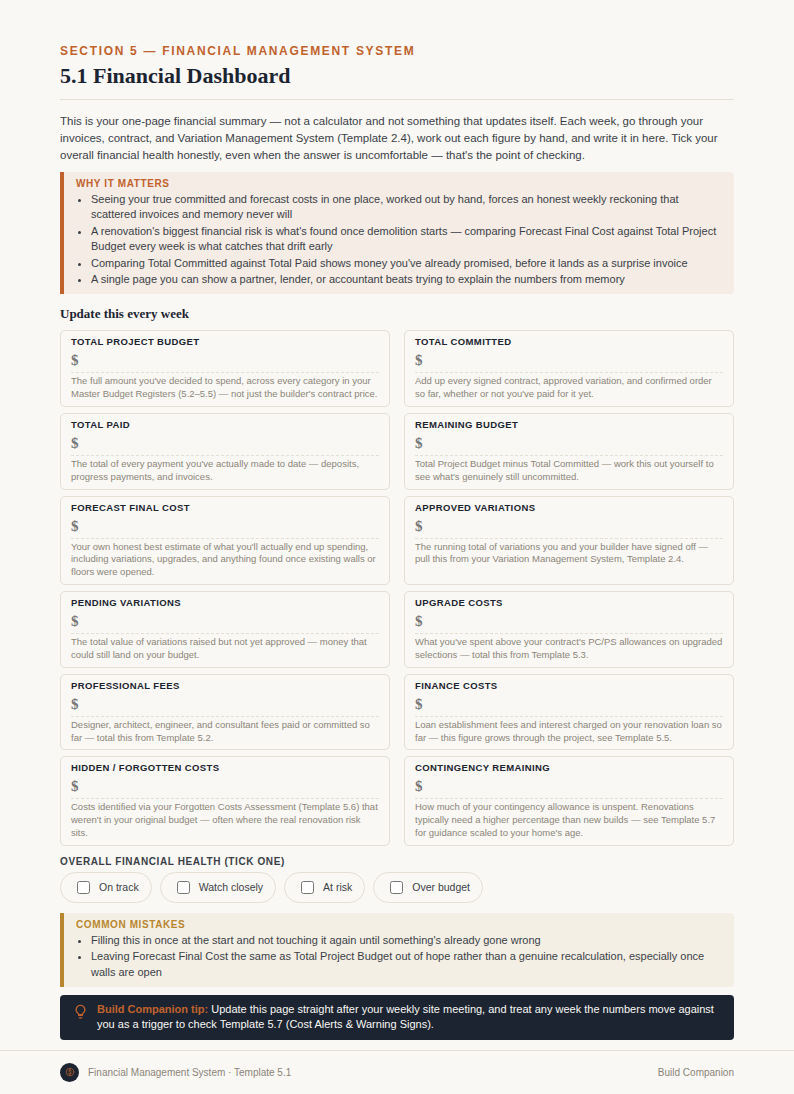
Twelve figures, in one place, that answer the question "where do we actually stand?" without you having to reconstruct it from bank statements and old emails:
Plus an overall financial health indicator, so you can see at a glance whether the project is tracking, tightening, or needs attention — before it becomes a crisis.
Every cost category tracked against budget, actual, and variance in one register — so you can see exactly which line items are on track and which are eating your contingency, category by category rather than as one blurred total.
A system for flagging warning signs early — categories trending over budget, variations stacking up, contingency running down faster than the build is progressing — so you're catching problems while they're still cheap to fix.
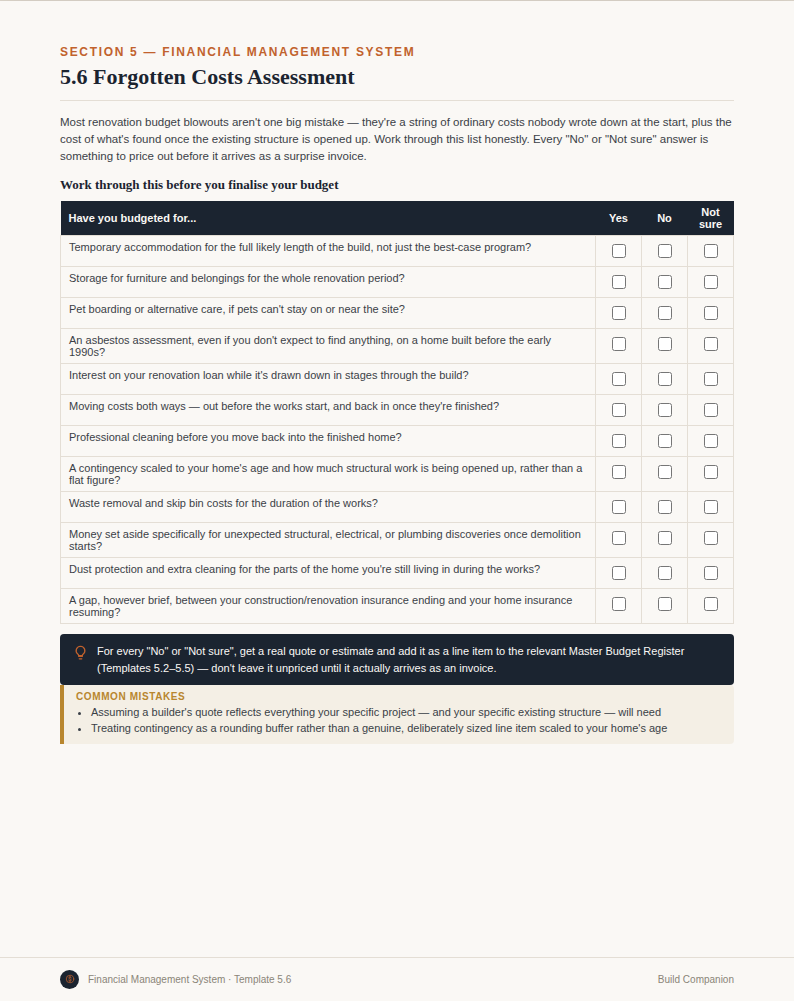
A structured assessment that surfaces the costs a builder's quote commonly doesn't mention — connection fees, driveway and landscaping allowances, window furnishings, styling, the second fix items that get assumed rather than quoted — plus the cost of living through the project itself: rent if your home won't be liveable during the build, interest on your loan while construction is underway, and the cost of moving in and out. All flagged before any of it turns up as a surprise mid-build.
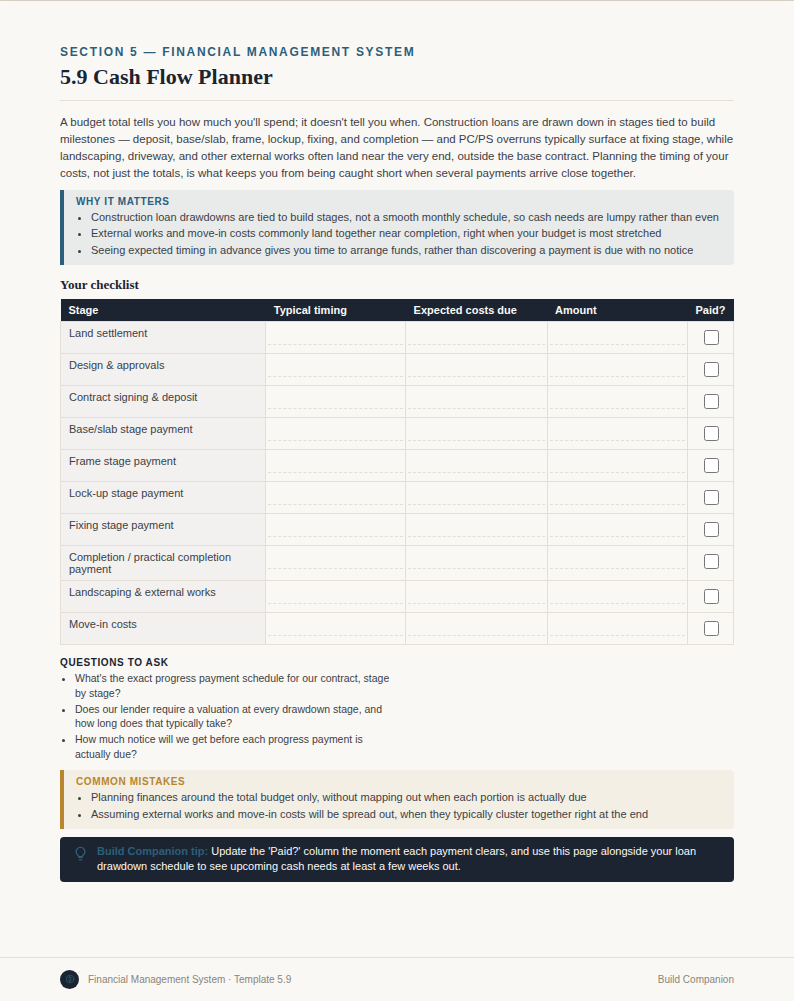
A week-by-week view of what's due before it's due, mapped against your finance drawdowns or savings, so you're never caught short between a progress claim landing and funds being available to pay it.
Every decision, task, and risk logged in one place, with dates and context — not scattered across texts, emails, and half-remembered site conversations. Which tile did you actually agree to? When was that variation raised, and by whom? What did you flag as a risk back in week three that's now come to pass?
This is the record you'll rely on if anything's disputed later — with your builder, your certifier, or your own memory of how a decision was made.
Meeting minutes templates that capture what was actually agreed on site, variation email templates that put cost and scope changes in writing before work proceeds, and question templates for the conversations most homeowners don't know they need to have.
Good communication with a builder isn't about being difficult — it's about making sure verbal agreements become written ones, so nobody's relying on memory when it matters.
A defects register for the practical completion inspection, a place to log every certificate and compliance document as it's issued, and a warranty register that tracks what's covered, by whom, and until when — so nothing gets missed before you sign off.
This is also the part of the system built to keep working after handover, into the defects liability period and the years of statutory warranty that follow — the stage where most homeowners are otherwise left with no structure at all.
Structured prompts for builder communication, variations, meetings, contracts, comparing quotes, and building terminology — written to get better, more specific answers when you use them with AI tools like ChatGPT. It's a prompt library, not a live AI product built into the system.
This is a feature of the Renovation System and New Home Build System available today. It's a distinct thing from our roadmap vision for an AI project companion — that's a future direction we're building toward in the open, not a description of what's in the product now.
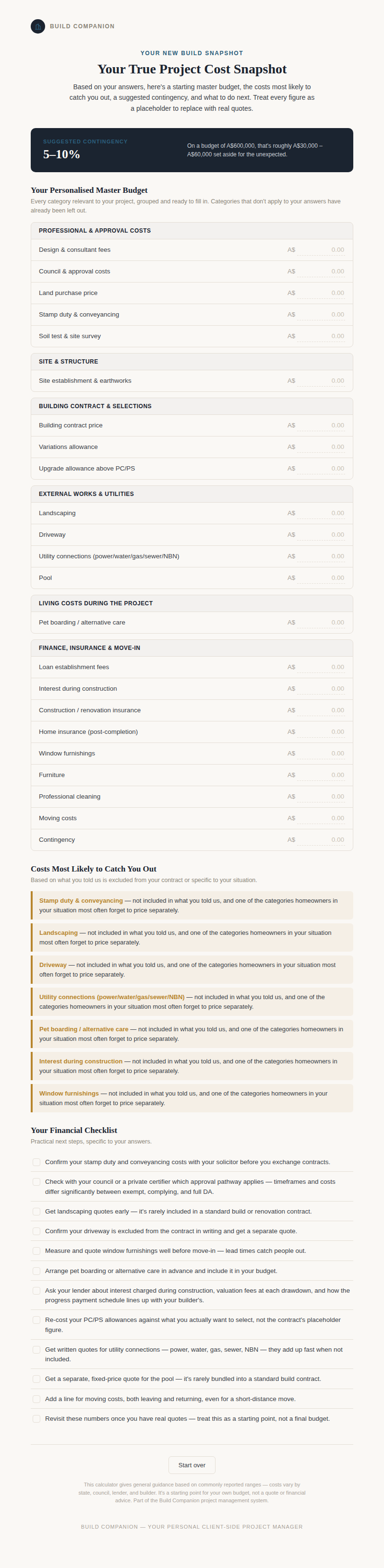
A free interactive tool that builds you a personalised budget, a forgotten-costs list, and a suggested contingency in about 3 minutes — a first look at the kind of clarity the full Financial Management System gives you across an entire project.
Try the free calculatorRenovation System and New Home Build System share this full feature set — the Financial Management System, registers, communication tools, and warranty tracking — tailored to the risks and stages of each type of project.
Built for the chaos, the hidden problems behind existing walls, and living through it.
Explore the Renovation SystemWhat's supposed to happen at every stage, on a vacant block or knock-down-rebuild, before it's covered up.
Explore the New Home Build SystemTwo purpose-built systems. $99 each, one-off. Instant access.